
Appearance
Review bug and feature reports from AI agents
AI clients can submit a report about a bug or a feature missing from Easy MCP AI using the wp_send_feedback tool. A report stays pending on your site until an administrator reviews and approves it.
In this article
What agents can report
An AI client can report a bug or suggest a missing feature. Submitting a report does not send it; an administrator must review it first.
Review pending reports
- In your WordPress admin area, open Easy MCP AI > Dashboard.
- Find the Pending AI reports card and click Review.
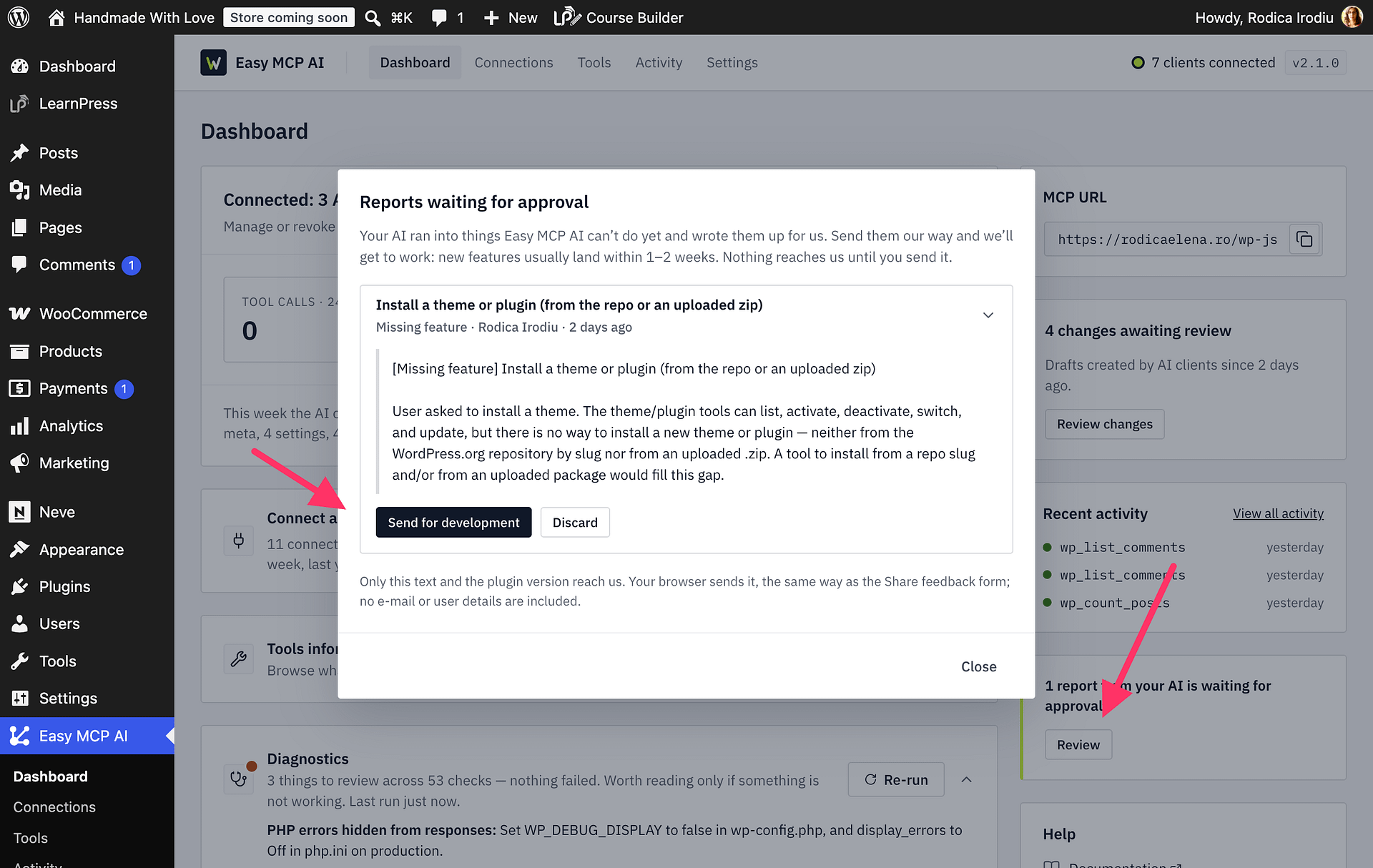
- Review the report text. To approve a bug report, click Send for a fix. To approve a missing-feature report, click Send for development. To remove a report without sending it, click Discard.
What information is sent
When you approve a report, only its text and the plugin version are sent. No report information is sent before you approve it.