

Appearance
Manage Contact Form 7 Forms with AI
Use Easy MCP AI to ask an AI client to read and manage your Contact Form 7 forms.
In this article
Enable the integration
- Install and activate Contact Form 7.
- In WordPress, go to Easy MCP AI > Tools and open Abilities.
- Find the Contact Form 7 integration, switch it on, and click Save changes. Plugin integrations are off by default.
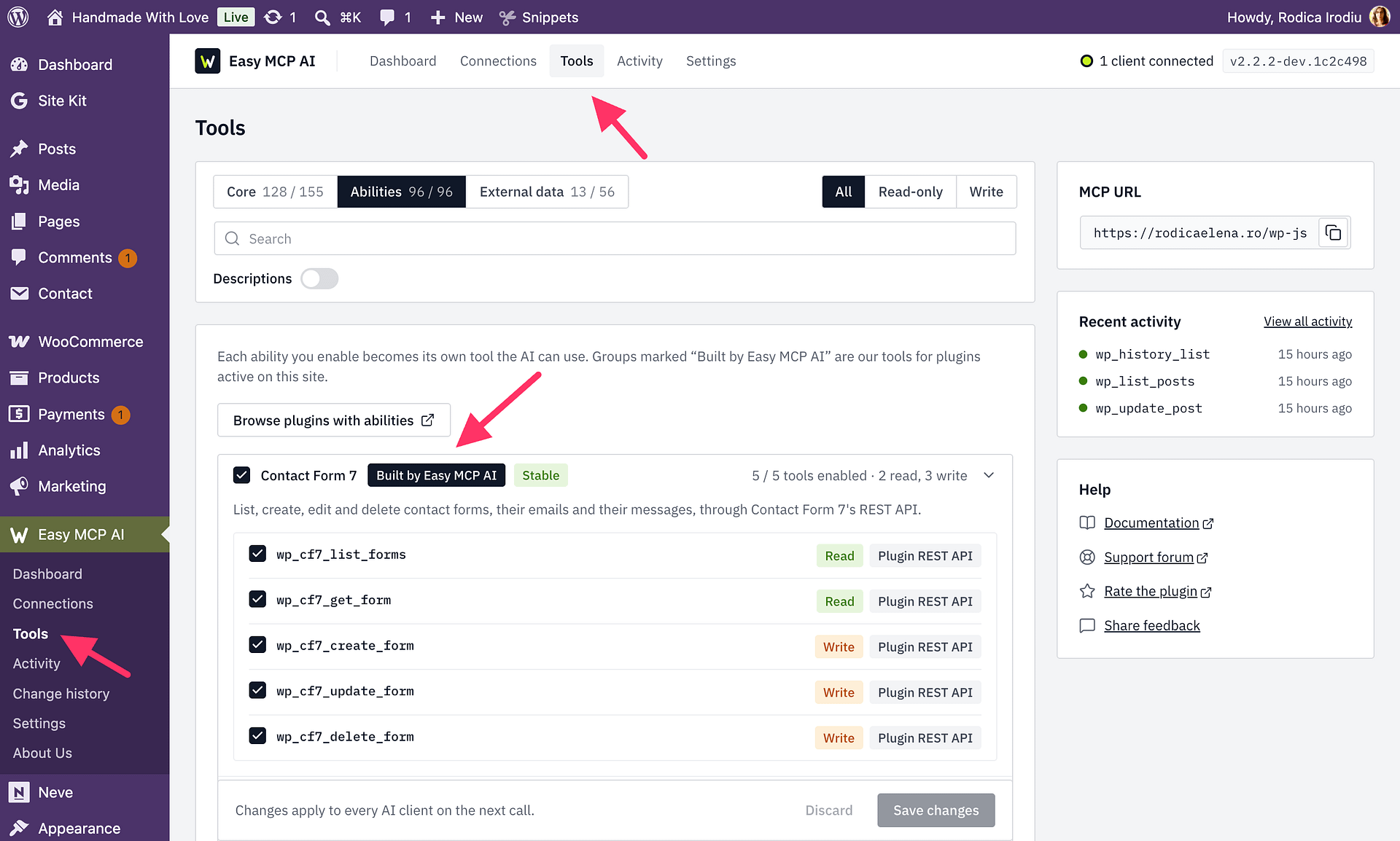
The connection your AI client uses must allow the requested tools. Easy MCP AI acts as the WordPress user who owns the connection, so that user also needs Contact Form 7's permission for the requested operation.
Read and edit forms
Before making changes, use wp_cf7_list_forms to find the form ID and shortcode, then use wp_cf7_get_form to read the form. This lets you check the current settings before you ask the AI to update them.
wp_cf7_create_form creates a form. If you omit the form fields, Contact Form 7's default form is used.
To edit a form, use wp_cf7_update_form and provide its id. The update changes only the fields you supply. For mail, mail_2, and messages, supplied keys are merged with the existing values, so changing the mail recipient preserves other unsent fields. Supplying form replaces the entire form template; supplying additional_settings replaces all existing additional settings.
Review the returned saved values and config_errors to check for Contact Form 7 configuration problems. If the response says updated: false, no change was observed; check the saved values instead of assuming every submitted value was stored.
For example, ask: “Read my contact form, change only its mail recipient to sales@example.com, and report any configuration errors.”
Delete a form
Use wp_cf7_delete_form with the form's id to permanently delete it. Deleted forms do not go to a trash folder. Any page that uses the form's shortcode will show a not-found notice, so find and update those page placements before deleting the form. If destructive-action approval is enabled for the connection, approve the deletion when prompted.