
Appearance
Read WooCommerce Logs with AI
Easy MCP AI provides read-only tools that let an AI client list WooCommerce logs and read their contents. Use them to investigate payment, webhook, or checkout errors without changing or deleting log data.
Enable the WooCommerce log tools
WooCommerce must be installed and active on your site. You also need an AI client connected through Easy MCP AI. If you have not connected a client yet, follow Getting Started with Easy MCP AI.
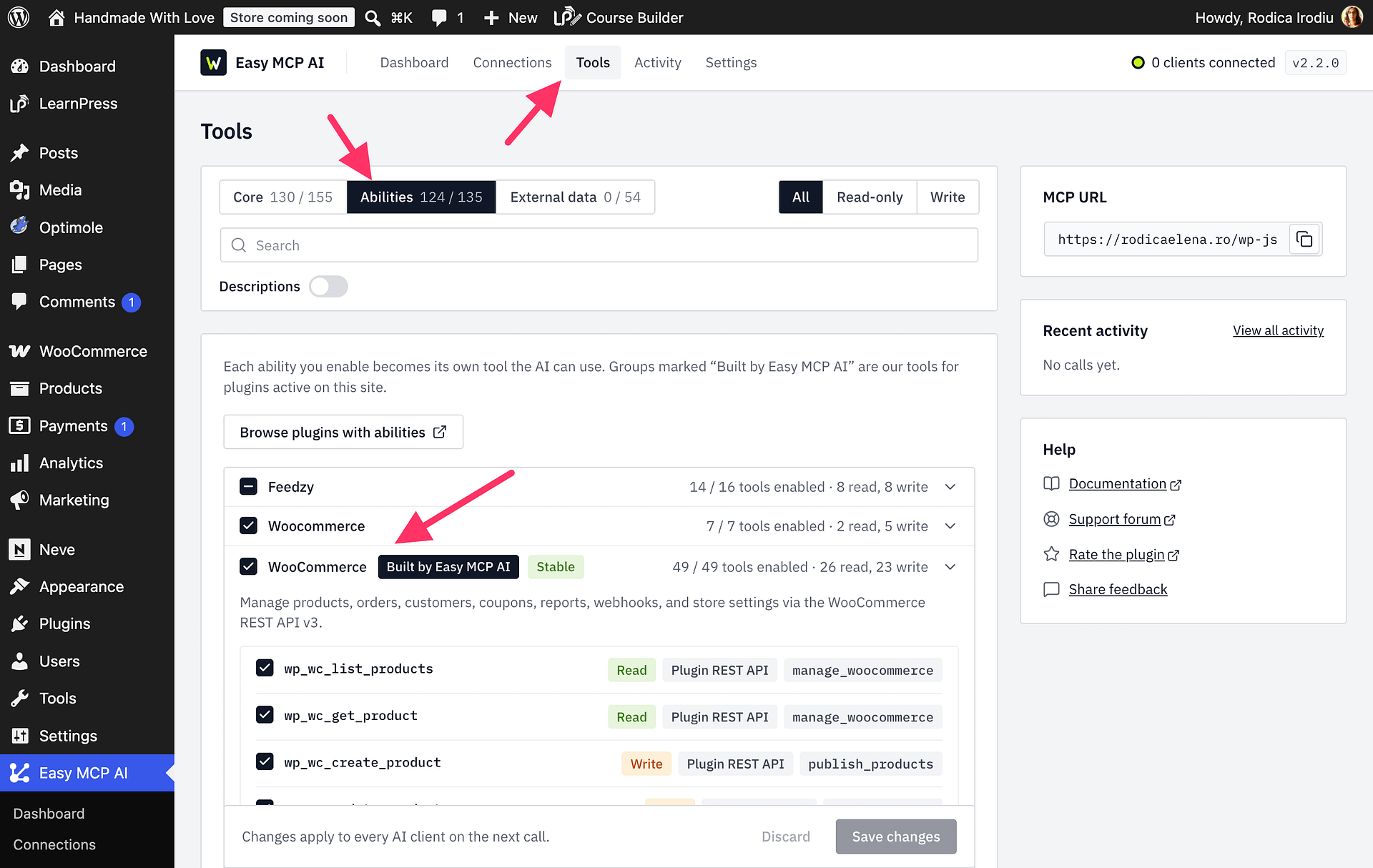
- In your WordPress dashboard, open Easy MCP AI > Tools, then select Abilities.
- Find the WooCommerce integration and switch on its tools for listing and reading logs.
- Click Save changes. The enabled tools become available to your connected AI client.
List and read WooCommerce logs
Ask your AI client to list the WooCommerce logs available on your site. Review the results and identify the log that may relate to the payment, webhook, or checkout error you are investigating. Then ask the client to read that log and help you find relevant errors.
For example, ask:
List the WooCommerce logs available on my site.Read the WooCommerce log named [log name] and help me find payment, webhook, or checkout errors.
These tools only list and read logs. They do not change or delete log data.