

Appearance
Read Site Kit Data with AI
Easy MCP AI can read Google Analytics 4 (GA4) and Search Console data through Site Kit by Google. It uses Site Kit's existing Google connection, so you don't need to enter Google credentials in Easy MCP AI for this integration.
In this article
Before you begin
Activate Site Kit by Google and connect Analytics or Search Console in Site Kit. The WordPress user associated with the AI connection must be allowed to access the data through their own Google connection or an appropriate shared dashboard. Site Kit's sharing permissions can limit which Analytics metrics (measurements, such as sessions) and dimensions (ways to group data, such as by page) are available.
In Easy MCP AI > Tools > Abilities, switch on Site Kit by Google and click Save changes. Make sure the AI connection also allows the tools you want to use.
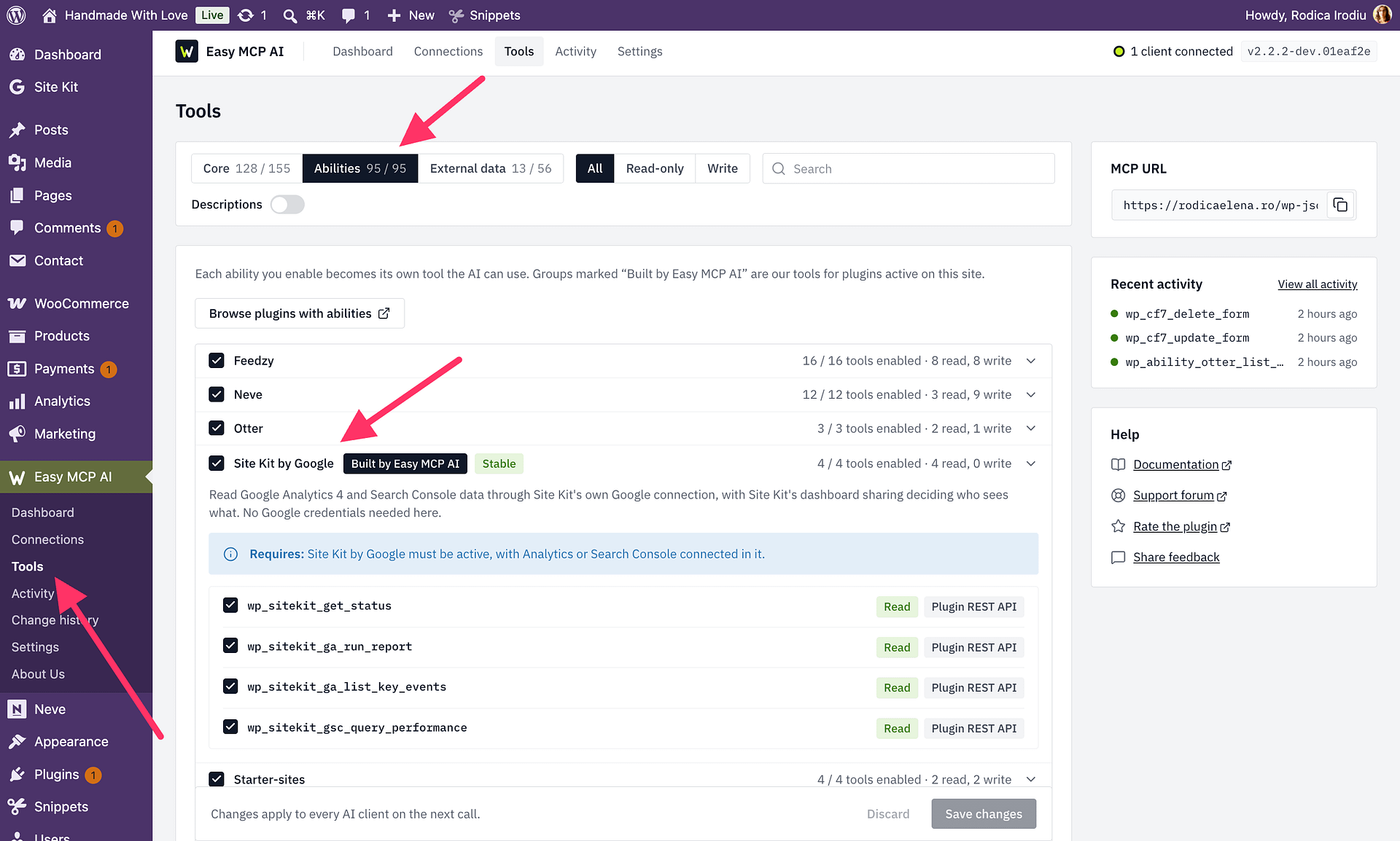
Available tools
| Tool | Purpose |
|---|---|
wp_sitekit_get_status | Check which Site Kit modules the connected user can access. |
wp_sitekit_ga_run_report | Read an Analytics report for the property connected through Site Kit. |
wp_sitekit_ga_list_key_events | List GA4 key events. |
wp_sitekit_gsc_query_performance | Read Search Console clicks, impressions, click-through rate (CTR), and position. |
If you're unsure whether the connection has access, start with wp_sitekit_get_status. Analytics reports require one or more metrics, such as ["sessions", "totalUsers"]. Provide both start_date and end_date to choose a date range, or omit both to use the last 28 days. Site Kit limits reports to your site's hostnames (the domains configured for the site).
For example, ask: “Check my Site Kit access, then summarize sessions and the most-viewed pages for the last 28 days.”
Site Kit or External Data?
Site Kit reuses its Google connection and dashboard-sharing permissions. The separate Google Analytics 4 and Google Search Console providers under Easy MCP AI > Tools > External data use service-account credentials and include additional reporting tools, such as pivot and realtime reports. These are separate connection methods; you don't need to set up External Data to use Site Kit.